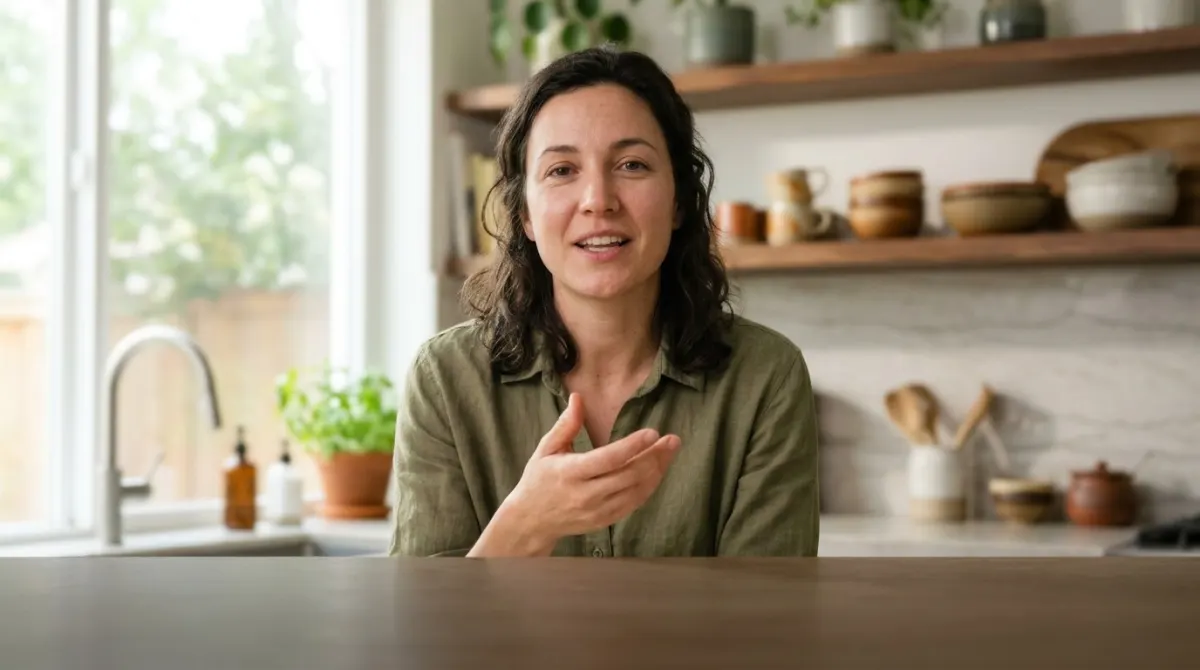
A six-person panel discussion, and it kept every voice straight. I stopped double-checking after the third transcript.
Arabic Transcription: Audio and Video in Arabic to Text
Arabic is written without most of its vowels and spoken in dialects that differ from the standard language. Upload a recording and get an Arabic transcript in Arabic script, with speakers labelled and every line timestamped.
MP3, WAV, MP4, MOV & more · files up to 8 GB · no credit card needed
Every word, in Arabic
interview.mp3AR
ليلى
أعدنا بناء الاستوديو في الشتاء.
عمر
ومنذ ذلك الحين تبدو كل حلقة أدفأ.
ليلى
يلاحظ الناس ذلك على الفور.
Click or drag & drop to upload your audio or videoTap to upload your audio or video
MP3, MP4, M4A, MOV, AAC, WAV, OGG, OPUS, MPEG, WMA, WMV
No credit card required · Files encrypted · Never used for AI training
What Makes Arabic Hard to Transcribe


Everyday Arabic text leaves out the short vowels, so one written word can stand for several spoken ones, and the reader picks the right one from context. A transcript follows the same convention: it writes the consonants and long vowels and relies on the sentence for the rest. Vowel marks appear only where a text needs them, such as teaching material or religious quotations, and are best added in the editor.
News, lectures and official speeches use Modern Standard Arabic, while conversations, interviews and vlogs are usually in a dialect: Egyptian, Levantine, Gulf, Iraqi or Maghrebi. Dialects have their own words and pronunciation and no fixed spelling. Standard Arabic and the widely spoken dialects are recognised best; Maghrebi speech, which mixes in French and Berber words, is the hardest and deserves a closer review.
Arabic runs right to left, but numbers, brand names and English or French terms inside a sentence run left to right. Arabic also has its own comma and question mark, and figures may be written with Western or Eastern Arabic digits. The transcript keeps the text in Arabic script with Arabic punctuation; check mixed lines and figures before you publish.
What a Clean Arabic Transcript Looks Like
Three lines from a meeting, and what to look at in each.
- Speaker 1
هل وصل العرض المالي؟ لم أجده في المجلد.
The short vowels are not written, as in almost all everyday Arabic text, so the reader supplies them from context. The question ends with the Arabic question mark, which faces the other way.
- Speaker 2
إن شاء الله نخلص الشغل بكرة الصبح.
The second speaker switches to colloquial Arabic, and the dialect words are kept as spoken rather than rewritten into the standard language. For a formal report, adjust them in the editor.
- Speaker 1
ارتفعت المبيعات بنسبة 12.5% مقارنة بالعام الماضي.
Arabic text uses either Western digits, as here, or Eastern Arabic digits. Pick one style for the whole document and check figures before the text goes into a report.
How to Transcribe Arabic Audio
From an Arabic recording to editable text in three steps.
Transcribe Arabic Audio30 free minutes · No credit card
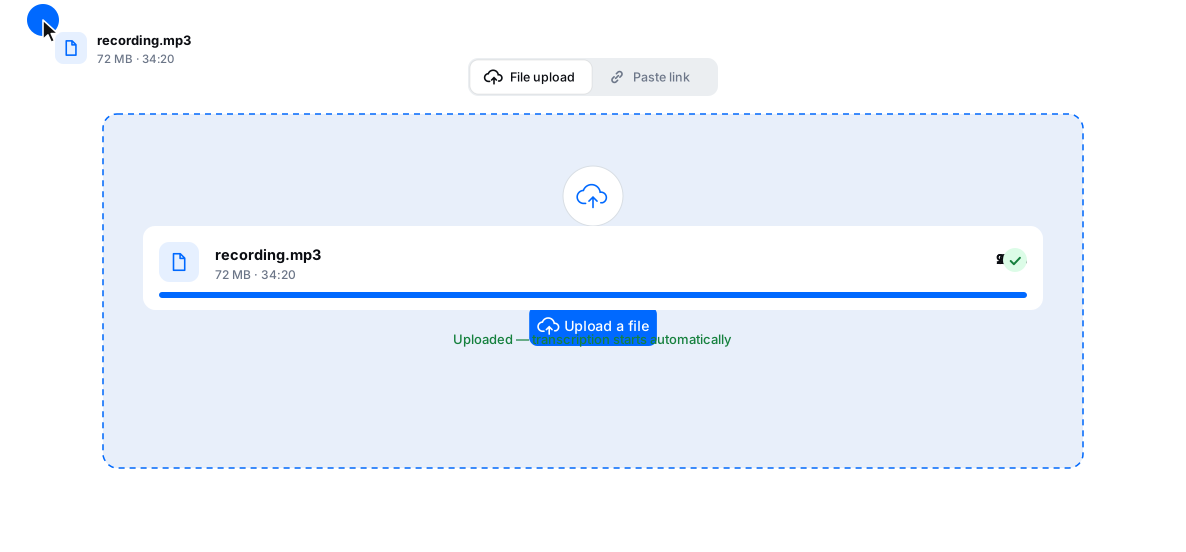
Upload an MP3, WAV, M4A, MP4, MOV or another common format, or paste a YouTube or Vimeo link.
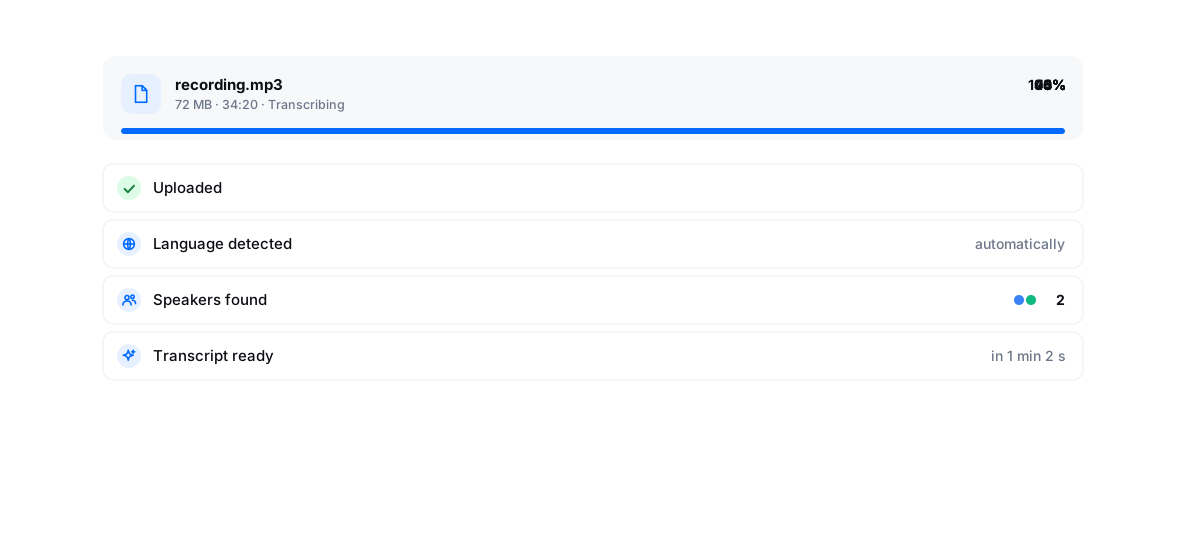
Auto-detection samples several stretches of speech across the file. If the video opens with an English or French intro, or the speakers switch languages a lot, set Arabic yourself. One Arabic setting covers the standard language and the dialects.
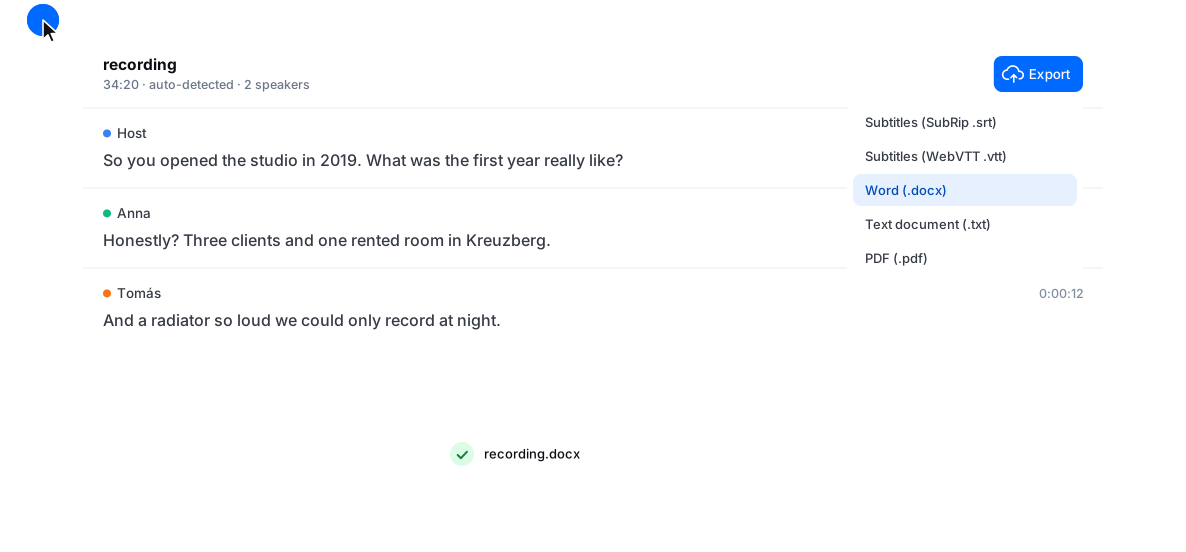
Check names, dialect words, mixed Arabic and Latin lines and figures, fix them in the editor, then export SRT, VTT, ASS, TXT, DOCX, PDF, CSV, XLSX or JSON.
Why Transcribe Arabic with BlaBlaScribe
For Arabic as it is spoken, from the newsroom to the street.
Standard Arabic and dialects
News, lectures and interviews in Modern Standard Arabic, and everyday speech in the widely spoken dialects.
Every speaker labelled
Interviews, meetings and podcasts read as a conversation, with each turn marked.
Arabic subtitles without retyping
Turn the transcript into timed subtitles, with lines split for comfortable reading.
Translate or dub from Arabic
Translate the transcript or subtitles into 50+ languages, or dub the video into English and 25 other languages.
Loved by Creators, Teams and Researchers
Rated Excellent 4.8/5 based on 580+ reviews
Other tools gave me a lowercase stream of words. Here sentences actually read like sentences — barely any cleanup.
Uploaded a two-hour recording during lunch — the transcript was waiting before I finished my coffee. The accuracy genuinely surprised me.
Our legal team approved it because processing stays on EU infrastructure. That alone ruled out most of the competition.
Field interviews go in as MP3s and come out as clean DOCX with timestamps. My write-up time dropped by half.
Non-native English with a heavy accent — previous tools butchered it. This one even got the technical terms right.
No card, no tricks — I tested real files before paying and upgraded a week later because the workflow stuck.
Had trouble with a huge file — support walked me through batch upload the same morning. Rare these days.
Yes, with one Arabic setting for all of them. Modern Standard Arabic and the widely spoken dialects, such as Egyptian and Levantine, are recognised most reliably. Maghrebi Arabic, with its French and Berber vocabulary, is harder, so plan a closer review for recordings from Morocco, Algeria or Tunisia.
Yes. Arabic speech is transcribed in Arabic script with Arabic punctuation, not in Latin transliteration. Dialect words are written as they are spoken, without being converted into the standard language.
No, the transcript follows everyday Arabic writing and leaves the short vowels out. If your text needs full vocalisation, for teaching material or quotations, add the marks in the editor before export.
Yes. SRT and VTT files are written in UTF-8, and players show Arabic lines right to left. Lines that mix Arabic with numbers or Latin words are worth checking in your player before you publish.
For interviews, lectures, podcasts, meetings and videos, an AI transcript plus a short review in the editor covers most needs, and it is ready in minutes. There is no human proofreading, so for certified legal or court transcripts use a specialised service.
Up to 99.8% on clear audio in Modern Standard Arabic. Dialects, background noise, overlapping voices and phone-quality recordings lower it, and the editor makes the remaining fixes quick.
All common audio and video formats — MP3, WAV, M4A, MP4, MOV, MKV and more — up to 8 GB per file, or a YouTube or Vimeo link. Export to SRT, VTT, ASS, TXT, DOCX, PDF, CSV, XLSX or JSON.
Yes. You get 30 free minutes once, with no credit card: short Arabic recordings are transcribed in full, long ones show the first 10 minutes.