
Every product webinar now ships with a transcript and captions. One upload, both outputs.
Video to Text: Transcribe Any Video into Accurate Text
Upload a video or paste a link and get an accurate transcript plus perfectly timed captions you can edit and export.
MP4, MOV, MKV, WEBM & more · up to 8 GB per file · no credit card needed
Transcript and captions from one upload
Film the hook first. Everything else can wait.Then cut anything that doesn't earn its place.
Film the hook first. Everything else can wait.
Then cut anything that doesn't earn its place.
If a shot doesn't move the story, it goes.
Click or drag & drop to upload your audio or videoTap to upload your audio or video
MP3, MP4, M4A, MOV, AAC, WAV, OGG, OPUS, MPEG, WMA, WMV
No credit card required · Files encrypted · Never used for AI training
Accurate. Multilingual. Private.


Our AI models are refined by human experts and trained on real-world audio, so the transcript you get is one you can actually use — correct punctuation, casing and all.
Transcribe interviews, media and conversations in more than 120 languages and dialects, with automatic language detection when you’re not sure.
Your audio is transcribed on our own EU-based infrastructure. It’s encrypted, GDPR-compliant and never used to train AI.
How to Convert Video to Text
Local files or online links — same three steps.
Transcribe Video Free30 free minutes · No credit card


Drop in MP4, MOV, MKV, WEBM or AVI up to 8 GB — or paste a YouTube or Vimeo URL and we’ll fetch the audio for you.
Pick the language or auto-detect. In minutes you get timestamped, speaker-labelled text for the whole video.
Take the transcript as TXT, DOCX, PDF, CSV, XLSX or JSON — or flip it into perfectly timed SRT/VTT/ASS captions in one click.
One Upload, Every Text Format You Need
Transcript, captions and translations from a single video.
Subtitles included
Every transcript converts to perfectly timed SRT/VTT captions in one click — no re-timing, no separate tool.
Import from links
Paste a YouTube or Vimeo URL — no need to save the file first. Each link becomes a normal project in your library.
Frame-accurate timing
Segments stay locked to the video timeline, so quotes, captions and chapters land exactly where they should.
Big files welcome
Upload video files up to 8 GB and batch several at once. Long lectures, podcasts and events are fine.
More Than a Transcript

Every video transcript can become perfectly timed subtitles in one click. Export SRT or VTT, translate captions into 50+ languages, or fine-tune timing on the built-in timeline.
Work from files on your device or paste a link to a YouTube or Vimeo video — no need to save it first. Long videos up to 8 GB and batch uploads are handled with ease.
Watch, Edit and Export in One Place
The transcript follows the video — click any line to jump there.
Start free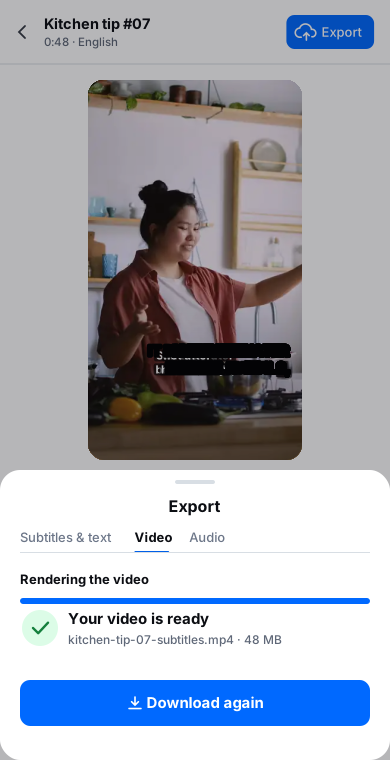
Loved by Creators, Teams and Researchers
Rated Excellent 4.8/5 based on 580+ reviews
I transcribe our published videos straight from the URL. Nothing to save, no storage juggling.
Uploaded a two-hour recording during lunch — the transcript was waiting before I finished my coffee. The accuracy genuinely surprised me.
Our legal team approved it because processing stays on EU infrastructure. That alone ruled out most of the competition.
Full conference recordings go in whole — no splitting files or compressing the quality away.
The timestamped transcript makes writing YouTube chapters trivial — copy the times, name the sections.
No card, no tricks — I tested real files before paying and upgraded a week later because the workflow stuck.
Had trouble with a huge file — support walked me through batch upload the same morning. Rare these days.
Upload the video file (MP4, MOV, MKV and more, up to 8 GB) or paste a YouTube link. BlaBlaScribe extracts the speech and transcribes it with AI in 120+ languages, with speaker labels and timestamps. Review the text next to the playback, then export a transcript as TXT, DOCX, PDF, CSV, XLSX or JSON, or subtitles as SRT, VTT or ASS. The first 30 minutes are free, no credit card required.
MP4, MOV, MKV, WEBM, AVI and more — if it plays, we can almost certainly transcribe it. Audio is extracted automatically; you don’t need to convert anything.
Up to 8 GB per file — enough for hours of footage at typical quality. Bigger project? Split the file or upload parts as a batch.
Yes — that’s the point. Every transcript converts to perfectly timed SRT/VTT captions, editable on a waveform-synced timeline and translatable into 50+ languages.
Yes. Paste the URL and we fetch the audio — it all happens online. Please only transcribe content you own or have permission to use.
Up to 99.8% on clear audio. Multiple speakers, accents and music beds are handled well, and the built-in editor makes fixes fast.
Yes — start free, no credit card required. Upgrade for more minutes, longer files and team features.
Discover more
More tools
AI TranscriptionTranscribe audio and video in 120+ languages.MP4 to TextTranscribe a video file straight to text.Subtitle GeneratorCaptions written from the audio, not converted from a file.Video TranslatorTranslate a video and keep the subtitles in sync.YouTube Transcript GeneratorPaste a link and read the transcript.