
Added accurate subtitles to every upload — retention on muted autoplay improved within weeks.
For YouTubers & video creators: Subtitles That Grow Your Channel — in Any Language
Upload a video or paste a link: accurate captions, translations into 50+ languages and transcripts for chapters and descriptions — in minutes.
MP4, MOV, MKV & more · up to 8 GB · YouTube links supported
Captions people actually read

0:08 / 11:52CC
Watch timeWith captionsWithout
Click or drag & drop to upload your audio or videoTap to upload your audio or video
MP3, MP4, M4A, MOV, AAC, WAV, OGG, OPUS, MPEG, WMA, WMV
No credit card required · Files encrypted · Never used for AI training
From Upload to Global Audience
The caption-translate-export loop, compressed.
Caption Your Video Free30 free minutes · No credit card


Work from the source file for best quality, or the published YouTube URL.
Perfectly timed, readably split lines — fix brand names once on the visual timeline.
One caption file becomes subtitle tracks for every market you want to reach.
YouTube Studio, Premiere, DaVinci, TikTok — standards-compliant files that just work.
Why Creators Caption Here
Retention, reach and repurposing — one workflow.
Frame-accurate captions
Lines land exactly on the speech — no drift on long videos, no manual nudging.
Readable by design
Line breaks follow reading-speed rules, so viewers keep up at any playback speed.
Translate into 50+
Upload each language as a separate subtitle track and reach audiences auto-translate never converts.
Works from YouTube links
Caption already-published videos without hunting for the source file.
Watch time protection
Most feeds autoplay muted — captions are what keep the viewer past the first three seconds.
Chapters & descriptions
The transcript hands you chapters, description copy and pinned-comment quotes.
Timeline editor
Split, merge and retime captions on a waveform — what you see is what viewers read.
Private by design
Unpublished videos stay on EU infrastructure — never shared, never used for training.
The Creator Playbook


The majority of social video plays without sound. Captioned videos hold attention longer — and retention is the metric algorithms reward.
Vertical clips need captions to survive. Generate once, export SRT/VTT, use everywhere — or burn them in with your editor.
Chapters, video descriptions, community posts, newsletter blurbs — one transcript feeds all of it.
Deeper into the Workflow
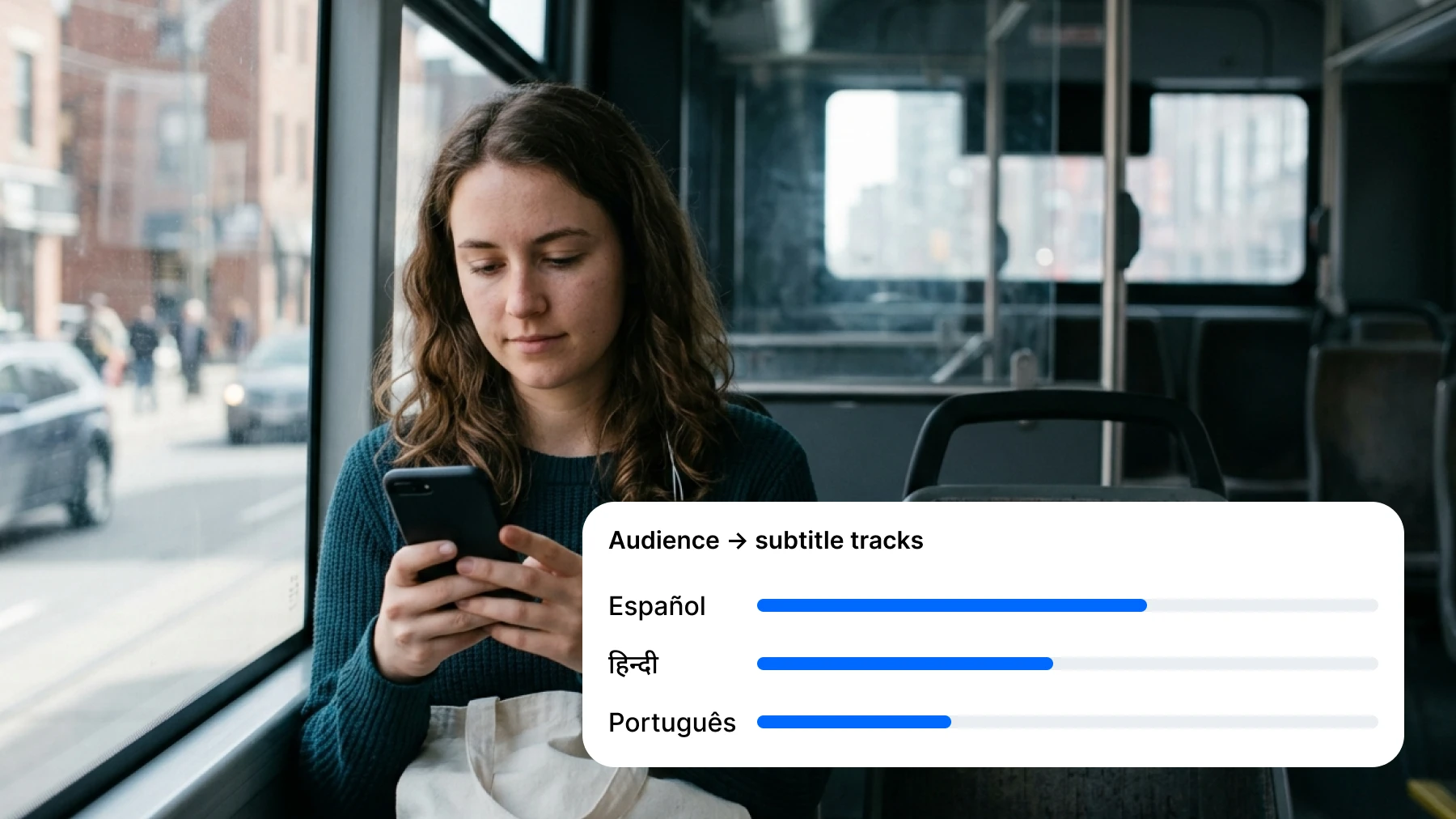
Multi-language
One Video, Many Tracks
Generate captions, translate into the languages your analytics show, and upload each file as a subtitle track in YouTube Studio.
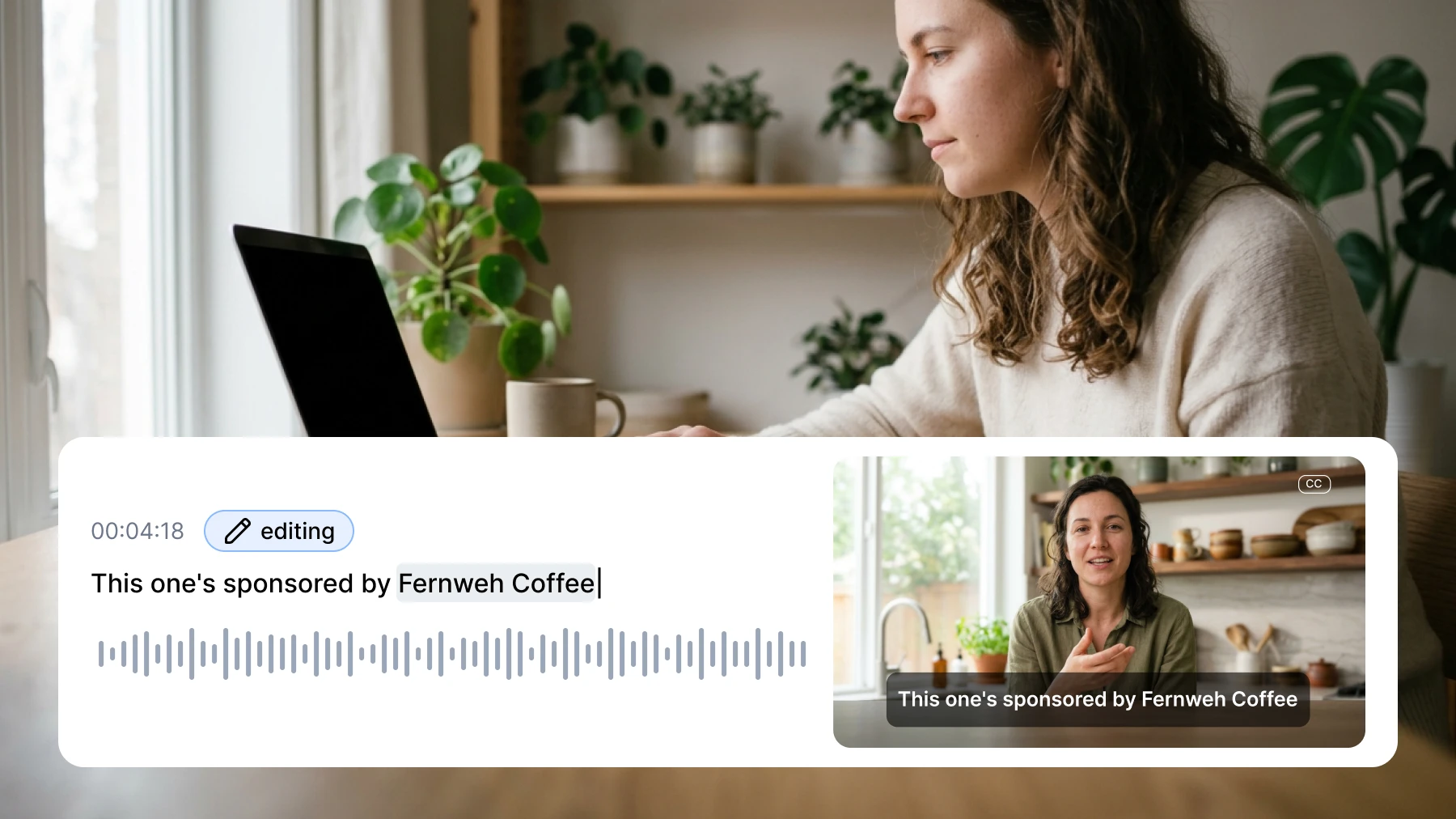
Precision
Fix It Once, on the Timeline
Brand names, product terms, sponsor reads — correct any line with instant preview before you export a single file.
The Subtitle Editor Creators Actually Use
Waveform timeline, instant preview, one-click export for every platform.
Start free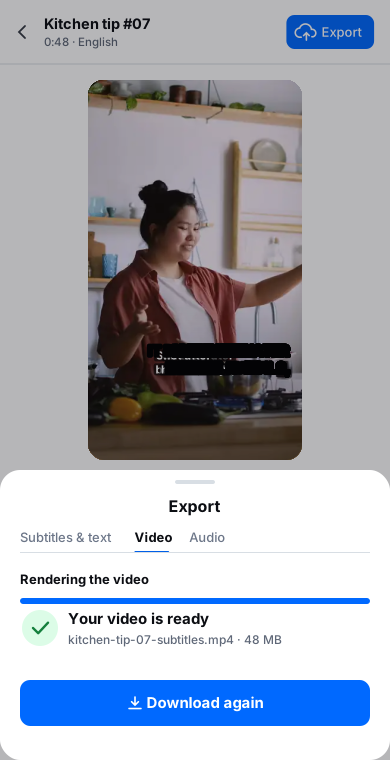
Loved by Creators, Teams and Researchers
Rated Excellent 4.8/5 based on 580+ reviews
Cut a clip, generate captions, export, upload. The timeline editor makes fixes painless.
Uploaded a two-hour recording during lunch — the transcript was waiting before I finished my coffee. The accuracy genuinely surprised me.
Our legal team approved it because processing stays on EU infrastructure. That alone ruled out most of the competition.
Translated my top videos into Spanish and Portuguese. New audience, same content.
The transcript gives me chapters, description copy and pinned-comment quotes in one pass.
No card, no tricks — I tested real files before paying and upgraded a week later because the workflow stuck.
Had trouble with a huge file — support walked me through batch upload the same morning. Rare these days.
Accurate. Multilingual. Private.


Our AI models are refined by human experts and trained on real-world audio, so the transcript you get is one you can actually use — correct punctuation, casing and all.
Transcribe interviews, media and conversations in more than 120 languages and dialects, with automatic language detection when you’re not sure.
Your audio is transcribed on our own EU-based infrastructure. It’s encrypted, GDPR-compliant and never used to train AI.
Upload the video (or paste its link), let AI generate the captions, fix anything on the timeline, export SRT — then upload it in YouTube Studio under Subtitles. Repeat per language if you translate.
Captions consistently improve retention on muted autoplay, and retention feeds the algorithm. Translated subtitle tracks additionally surface your video to non-English audiences searching in their language.
Generate captions once, translate them into 50+ languages with timing preserved, and upload each file as a separate subtitle track. Your original audio stays untouched.
Yes — captions export as standard SRT/VTT that every platform and editor accepts. For burned-in captions, import the SRT into your editing app.
Very — chapters, descriptions, community posts and blog versions of your videos all start from the same transcript.
Yes — caption your first video free, no credit card required.