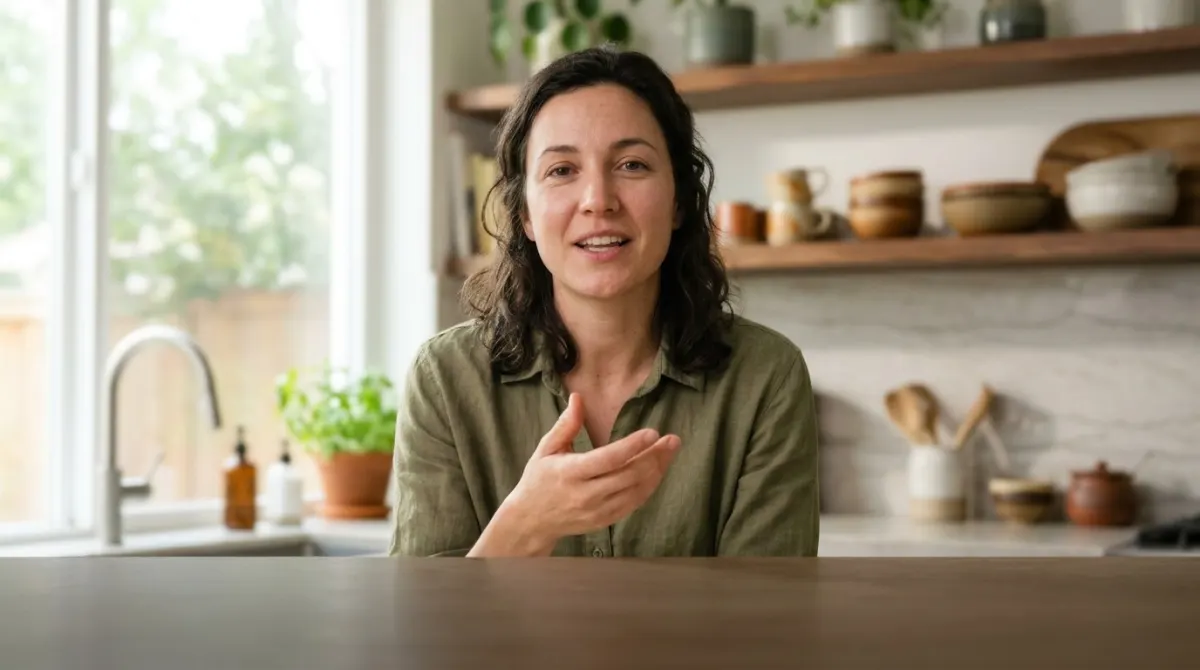
Captions land exactly on the speech. I used to spend evenings nudging lines around by hand.
AI Dubbing: Your Video in Another Language, in a Natural Voice
Upload a video and hear it in Spanish, German, Japanese or 24 other languages. Each speaker gets their own voice — or their own cloned voice — timed to the picture, with the music and sounds kept.
MP4, MOV, MP3 & more · 27 languages · free 15-second preview
Same video, a new language, a natural voice
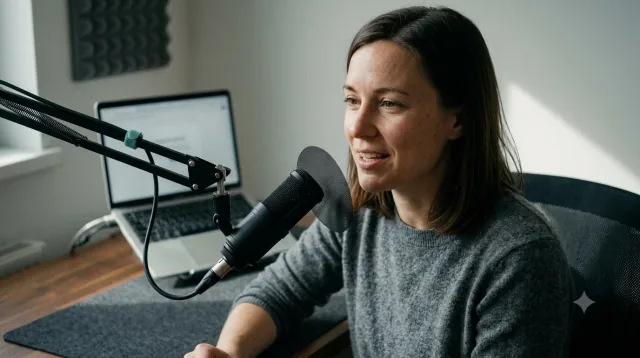 ENESDEJAFilm the hook first. Everything else can wait.Graba primero el gancho. Todo lo demás puede esperar.Dreh zuerst den Hook. Alles andere kann warten.まずフックを撮ろう。他は後でいい。
Music & sounds kept · timed to the picture27 languages
Click or drag & drop to upload your audio or video
MP3, MP4, M4A, MOV, AAC, WAV, OGG, OPUS, MPEG, WMA, WMV
No credit card required · Files encrypted · Never used for AI training
A Voice for Every Speaker
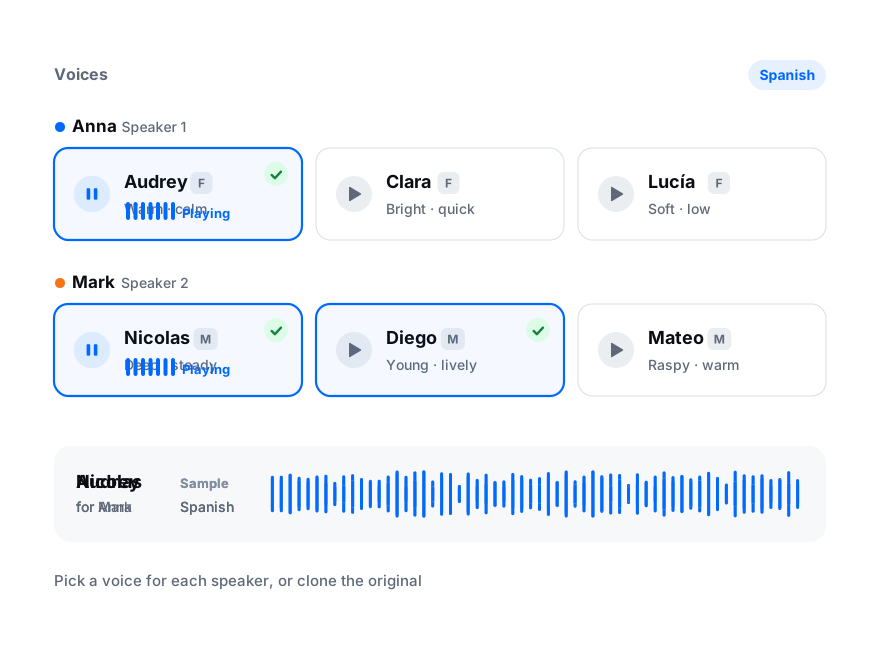
Pick a voice for each person in the video and listen to a sample first. Filter by female or male voices, and change any of them before you dub.
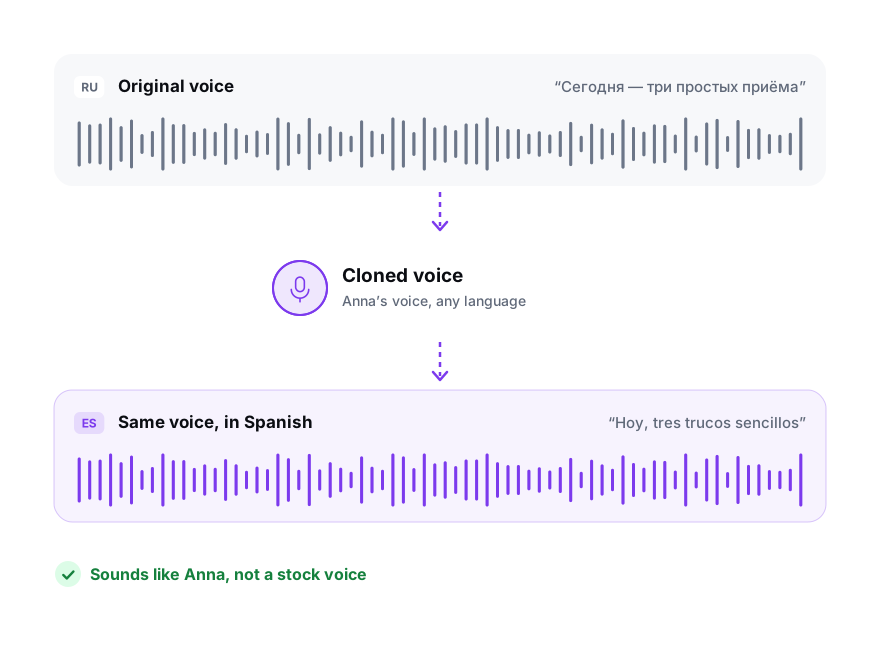
Keep the speaker’s own voice in the new language. The clone is made from their speech in your file — at least 20 seconds of it — and costs the same as any other voice.
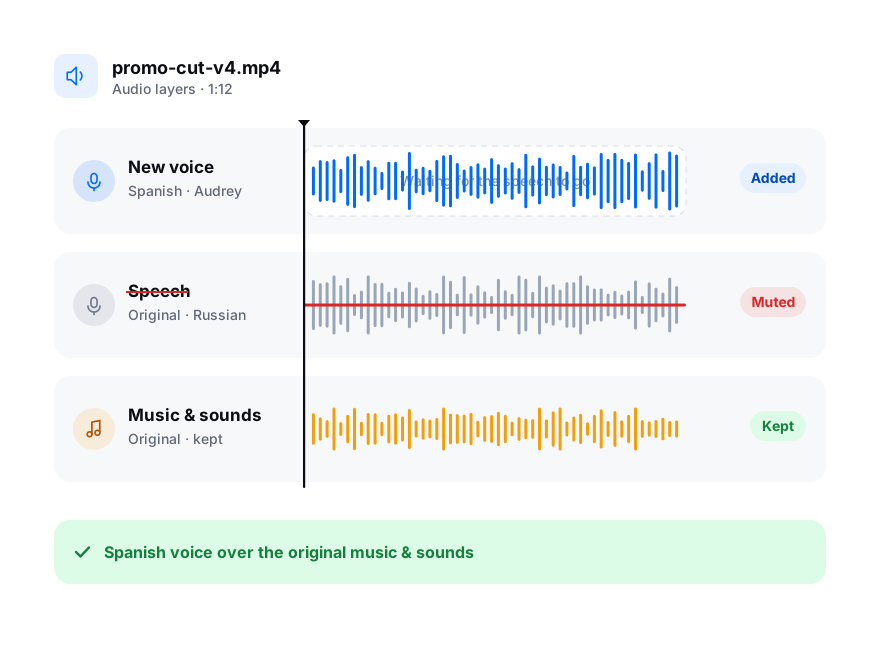
The original speech is removed and the background is kept, so the new voice sits on the same music and effects as the original.
How to Dub a Video with AI
From upload to a dubbed video in four steps.
Try a Free Preview30 free minutes · No credit card
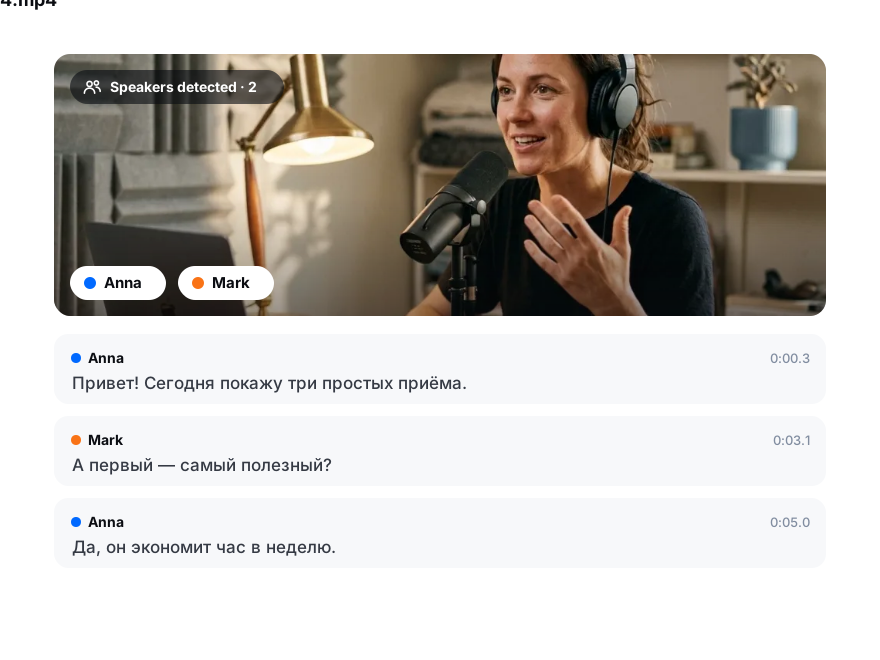
Drop in a video or audio file. AI transcribes the speech and tells the speakers apart.
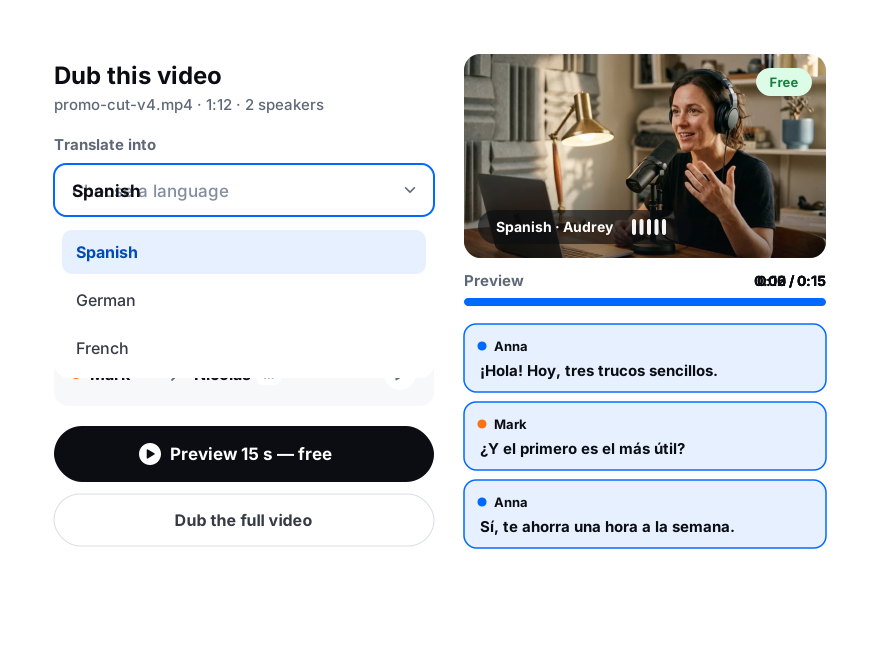
Pick one of 27 languages and a voice for each speaker, or clone the original. Listen to a free 15-second preview of your own video.
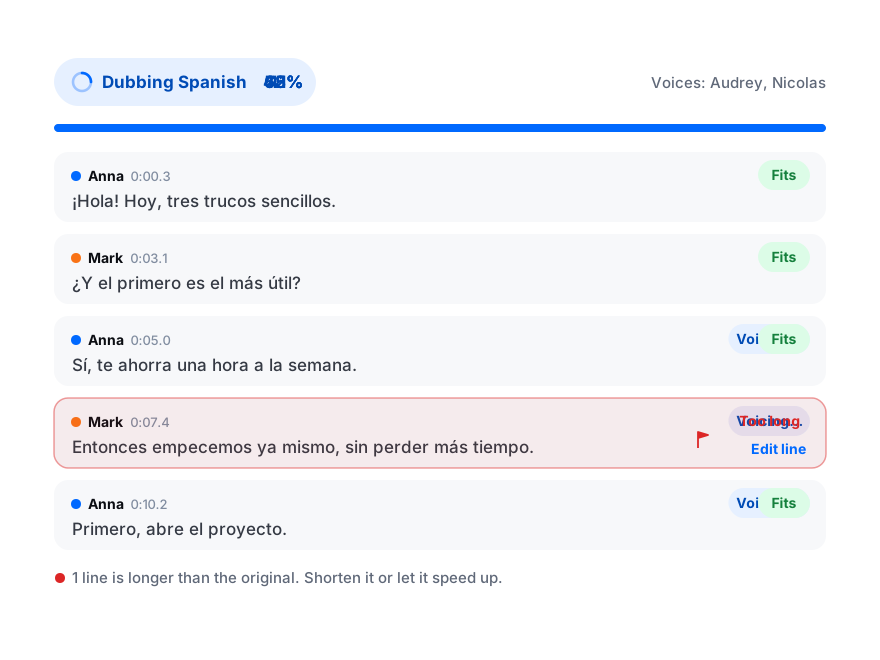
The translation is written to fit each line’s timing. Lines that run long are flagged, so you can shorten them or let them borrow the pause.
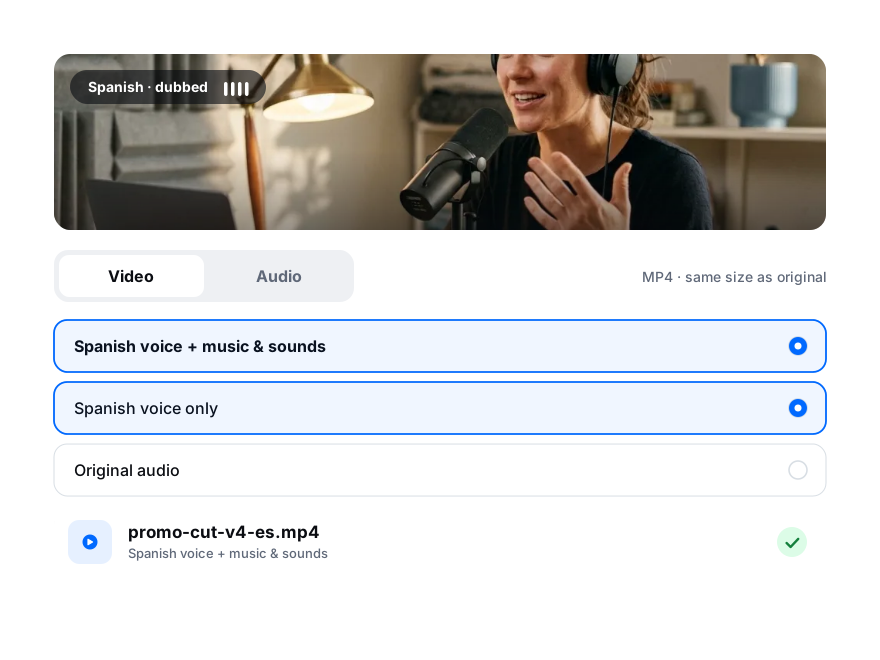
Download the dubbed video, with subtitles if you like, or just the audio — the voice, the background, or both mixed.
Timed to the Picture
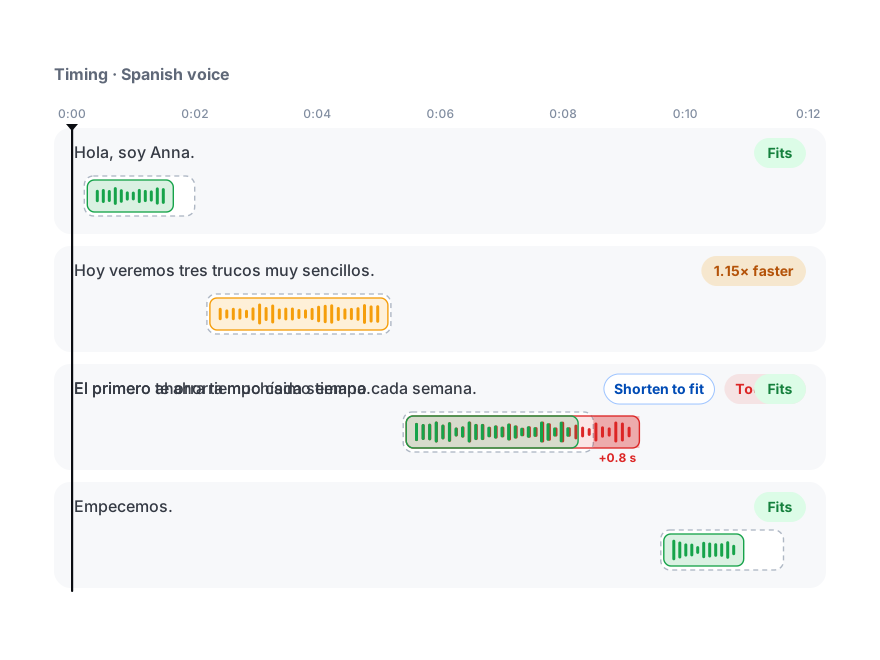
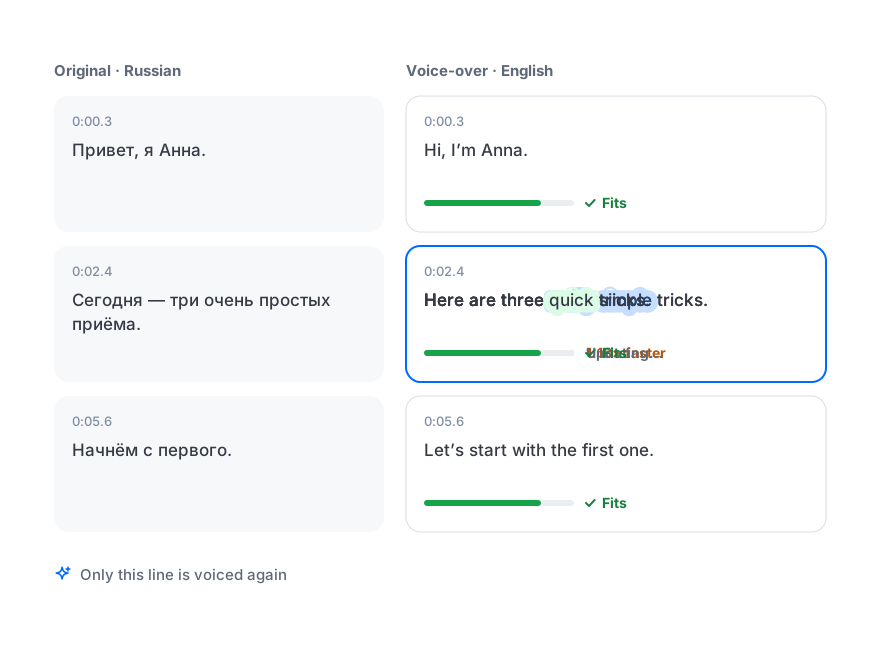
Each line is written to match the length of the original. If it still runs long, it’s sped up slightly, shortened, or allowed to use the pause after it — and you see which lines need a look.
Change the wording of a single line and only that line is voiced again. The subtitles stay exact while the voice-over reads naturally.
Everything a Dub Needs, in One Editor
Transcript, translation, voices and export in one place.
Dub into 27 languages
Spanish, German, French, Portuguese, Japanese, Korean, Polish, Turkish and more.
A voice per speaker
Speakers are detected automatically, and each one keeps a consistent voice through the video.
Clone the original voice
The speaker sounds like themselves in another language. Your consent is asked each time.
Background kept
Speech removed, music and sound effects preserved under the new voice.
Timed to the picture
Lines are fitted to the original timing, and the ones that don’t fit are flagged.
Edit line by line
Rewrite a line and only that line is re-voiced — no need to redo the whole video.
Subtitles to match
Export the dubbed video with subtitles from the translation or from the voice-over text.
Free preview first
Hear 15 seconds of your own video in the new voice before you spend a minute.
Your Transcript, Translation and Voice Side by Side
Switch a language to Voice to see every line with its fit, and play the dub over your video.
Start free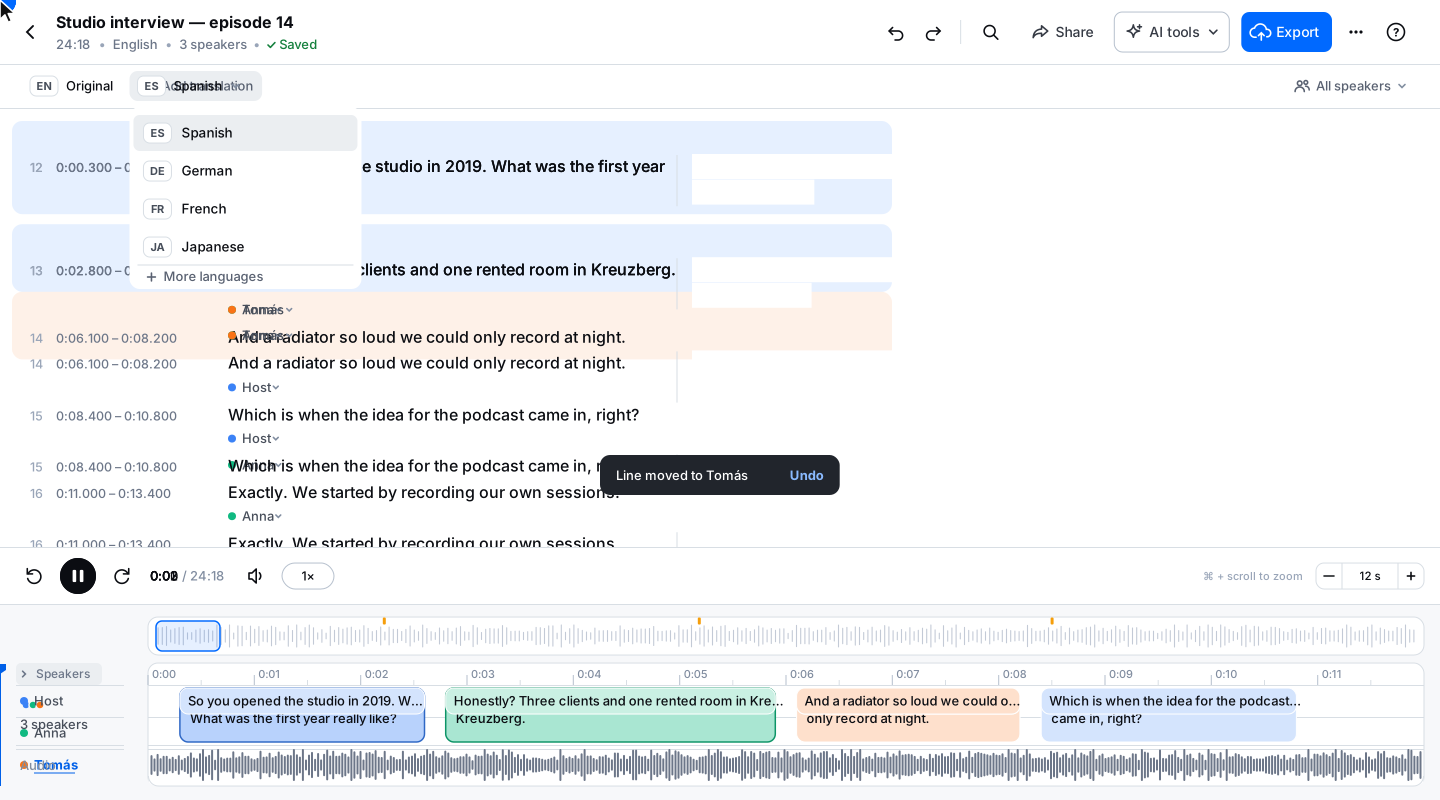
Loved by Creators, Teams and Researchers
Rated Excellent 4.8/5 based on 580+ reviews
YouTube kept mangling our brand names. Now I fix them once in the editor and upload a clean SRT.
Uploaded a two-hour recording during lunch — the transcript was waiting before I finished my coffee. The accuracy genuinely surprised me.
Our legal team approved it because processing stays on EU infrastructure. That alone ruled out most of the competition.
Captions split where a human would split them. Viewers stopped complaining about walls of text.
Added captions to every short — average watch time rose noticeably within a month.
No card, no tricks — I tested real files before paying and upgraded a week later because the workflow stuck.
Had trouble with a huge file — support walked me through batch upload the same morning. Rare these days.
AI dubbing replaces the speech in a video with a translated voice track. BlaBlaScribe transcribes and translates the original, then voices it in 27 languages, with a natural voice for each speaker or a clone of the original voice, timed to the picture and with the music and background sounds kept. Try a free 15-second preview on your own video; full dubbing is sold in minute packs from $15 for 10 minutes, on any plan.
$1.00–1.50 per minute of video per language, sold in packs that work with any plan and never expire: 10 minutes for $15, 30 for $39, 60 for $72 and 100 for $100, translation included. For comparison, ElevenLabs Starter is $6 a month for about 10 minutes of dubbing, HeyGen Creator $29 a month and Rask AI Creator $39 a month for 25 minutes. Packs suit occasional dubbing; monthly plans get cheaper per minute the more you dub every month.
Yes. Make a free 15-second preview of your own video in the language and voices you picked — up to three previews per language.
27 languages, including English, Spanish, German, French, Italian, Portuguese, Polish, Dutch, Swedish, Turkish, Japanese and Korean. Subtitles and translations are available in 50+ languages.
Yes. Clone the original voice from at least 20 seconds of that speaker’s speech in your file. Clone only your own voice or a voice you have permission to use — we ask you to confirm this every time.
They stay. The original speech is removed and the music and effects play under the new voice, just like in a professional dub.
It’s first written to fit, then sped up slightly if needed. If it still doesn’t fit, the line is flagged: shorten it with one click, let it use the pause after it, or keep it as it is.
Export an MP4 with the new voice and, if you like, subtitles burned in. The video is rendered in your browser from your original file. You can also download just the audio as M4A, MP3 or WAV.
Yes. Upload an audio file and export the dubbed audio — the voice alone, or mixed with the background.