Dub TikTok Videos and Reels: Same Clip, New Language
Upload your TikTok, Reel or Short, or paste its link, pick a language and a voice, and BlaBlaScribe dubs it with the music kept. Burn in captions in the same language and download a vertical MP4 ready to post for another market. A 30-second clip uses 30 seconds of a pack.
TikTok, Instagram and YouTube links or MP4 and MOV files · 27 languages · billed per second
Same clip, a new language

Click or drag & drop to upload your audio or videoTap to upload your audio or video
MP3, MP4, M4A, MOV, MKV, WEBM, AVI, WAV, FLAC, AAC, OGG, OPUS, WMA, WMV
No credit card required · Stored in the EU · Never used for AI training
Short Videos Worth Dubbing
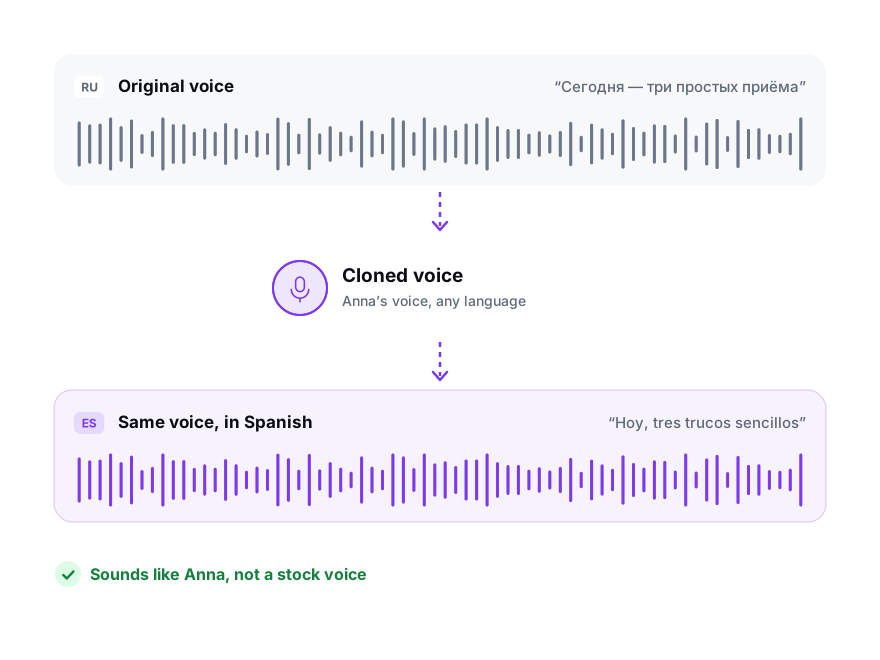
The clips where you talk to camera travel worst with captions alone. A dub in your own cloned voice keeps the personality that made the original work.
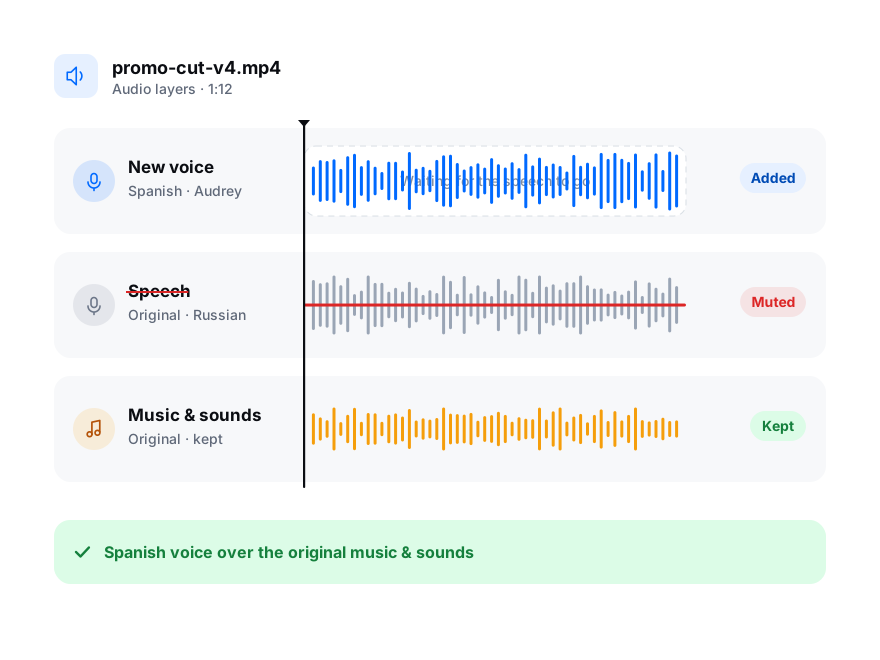
Test a winning ad in Spanish or Portuguese before paying a creator in that market. The music and sound effects stay, only the voice changes.
For voice-over clips, keep the trending audio and replace only your narration: export Voice, music & sounds and the beat stays where it was.
Three Ways to Reach Viewers in Another Language
Captions are free, platform translation is free but out of your hands, and your own dub is the one you control.
| Captions only | Built-in AI translation | Your own dub | |
|---|---|---|---|
| What viewers hear | Your voice in your language | A generated voice in their language | Your cloned voice or one you picked, in their language |
| Where it exists | Every platform | Instagram and Facebook Reels in a few languages; YouTube auto-dubbing; on TikTok only for ads, in Symphony Creative Studio | Anywhere you can post a video |
| Your say over the words | Full | Little: you can turn it on or off | Every line, before it is voiced |
| Brand names and slang | As you typed them | Often mistranslated | Fixed once in the transcript |
| Price | Free | Free | $1.00–1.50 per minute, billed per second |
Meta listed English, Spanish, Hindi and Portuguese for Reels translation in January 2026; TikTok labels Symphony dubs as AI-generated. Platform features change often: check the app before you plan around them.
Sources: Meta: AI translation for Reels · TikTok: translate and dub with Symphony · YouTube: automatic dubbing
What You Get for a Short Video
Short clips are where the free preview goes furthest: it often covers the whole hook.
- Source
- A TikTok, Instagram or YouTube link, or the original MP4 or MOV
- Free preview
- The first 15 seconds of your clip in the new voice, up to three tries per language
- Voices
- A library voice per speaker, or a clone of yours from at least 20 seconds of your speech
- Sound
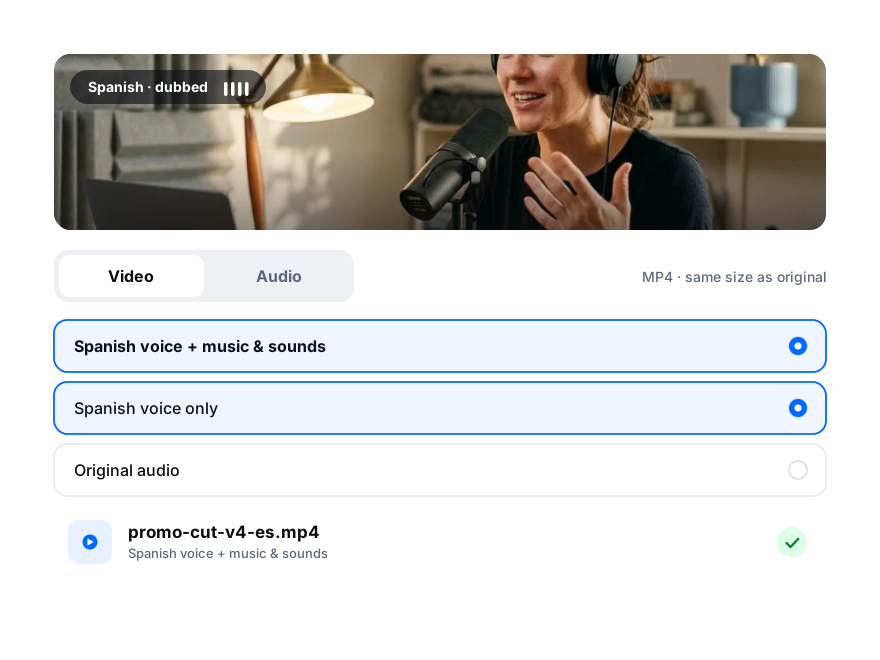
- Voice, music & sounds, or the voice over a quiet original
- Captions
- Burned into the MP4 in the dubbed language, from the translation or from the spoken voice-over text
- Video
- Vertical MP4 rendered in your browser from the original file, so the quality stays as uploaded
- Billing
- Per second: a 45-second Reel in three languages uses 2 minutes 15 seconds
- Price
- Packs from $15 for 10 minutes, enough for twenty 30-second clips in one language
Before You Post a Dubbed Short
Short videos live or die in the first seconds, and these are the details people notice.
File
Keep the original file
The dubbed MP4 is rendered from your original video. A clip imported by link can be dubbed, but to export the video you need the original file on your computer.
Hook
Check the first line twice
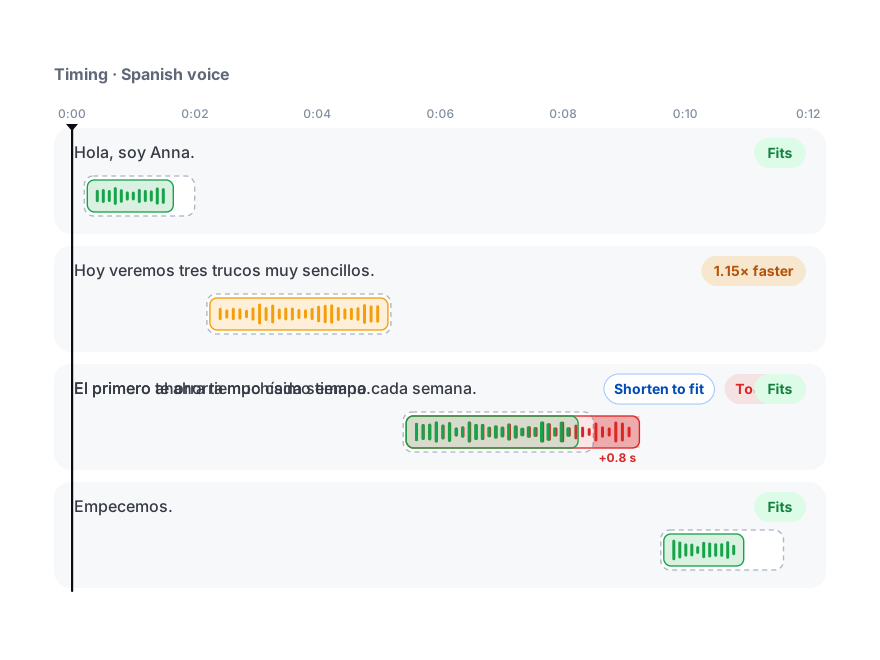
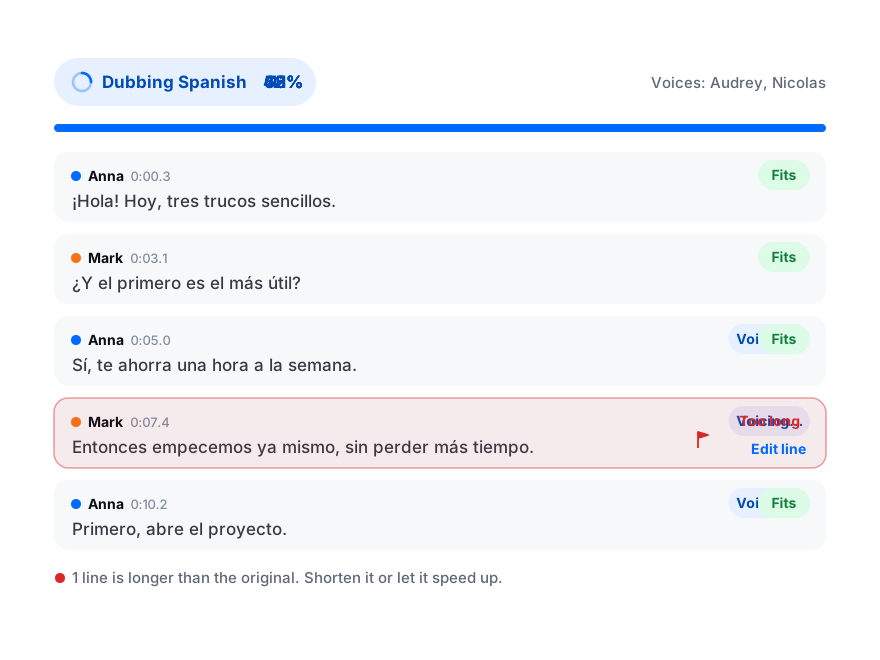
Translations of a punchy hook tend to run long. If the first line is flagged, rewrite it shorter: the first two seconds decide whether anyone stays.
Captions
Caption the dub, not the original
Burn in captions in the dubbed language. Many people watch with the sound off, and mixed-language captions look like a mistake.
Audio
Mind licensed music
Sounds you add inside TikTok or Instagram aren’t in your original file, so they won’t be in the dub. Add them again when you post the dubbed version, or use music you own.
How to Dub a TikTok or Reel
From the original clip to a dubbed vertical video in four steps.
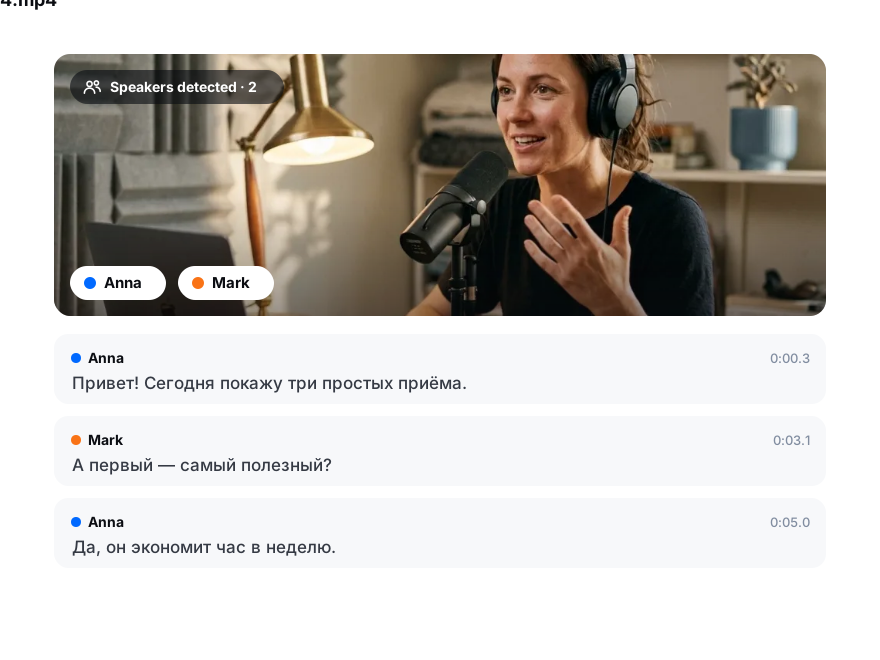
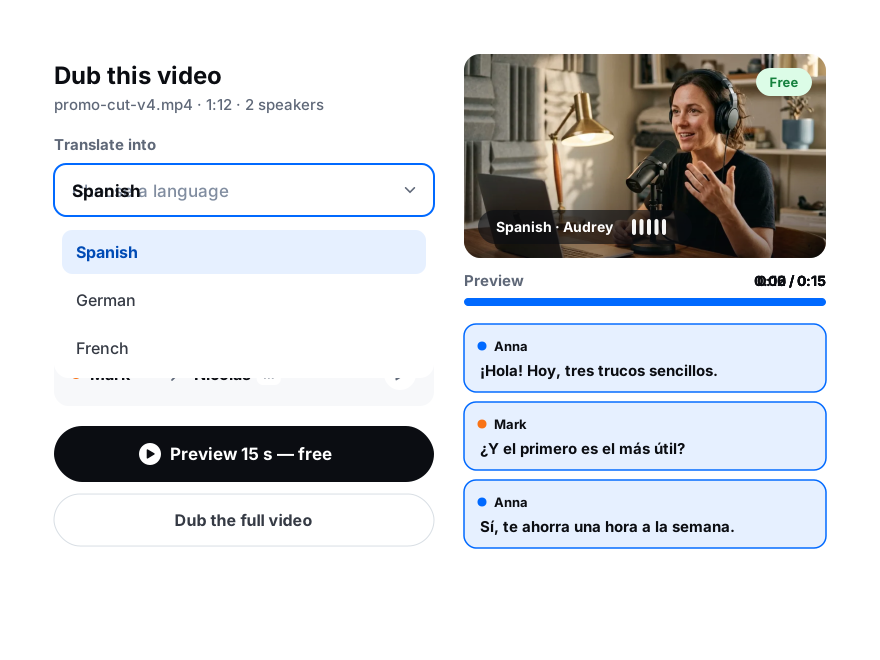
Add the original MP4 or MOV, or paste a TikTok, Instagram or YouTube Shorts link. The speech is transcribed in seconds.
Pick the language and a voice, or clone your own, and play the free 15-second preview.
Every line is fitted to its moment, sped up by at most 1.2× if needed; shorten any flagged line with one click.
Choose Voice, music & sounds, turn on captions in the dubbed language, and download the video ready to post.