Transcription Timestamps: Word-Level vs Segment-Level, and When You Need Each
Dzianis Kukareka, Founder · Updated
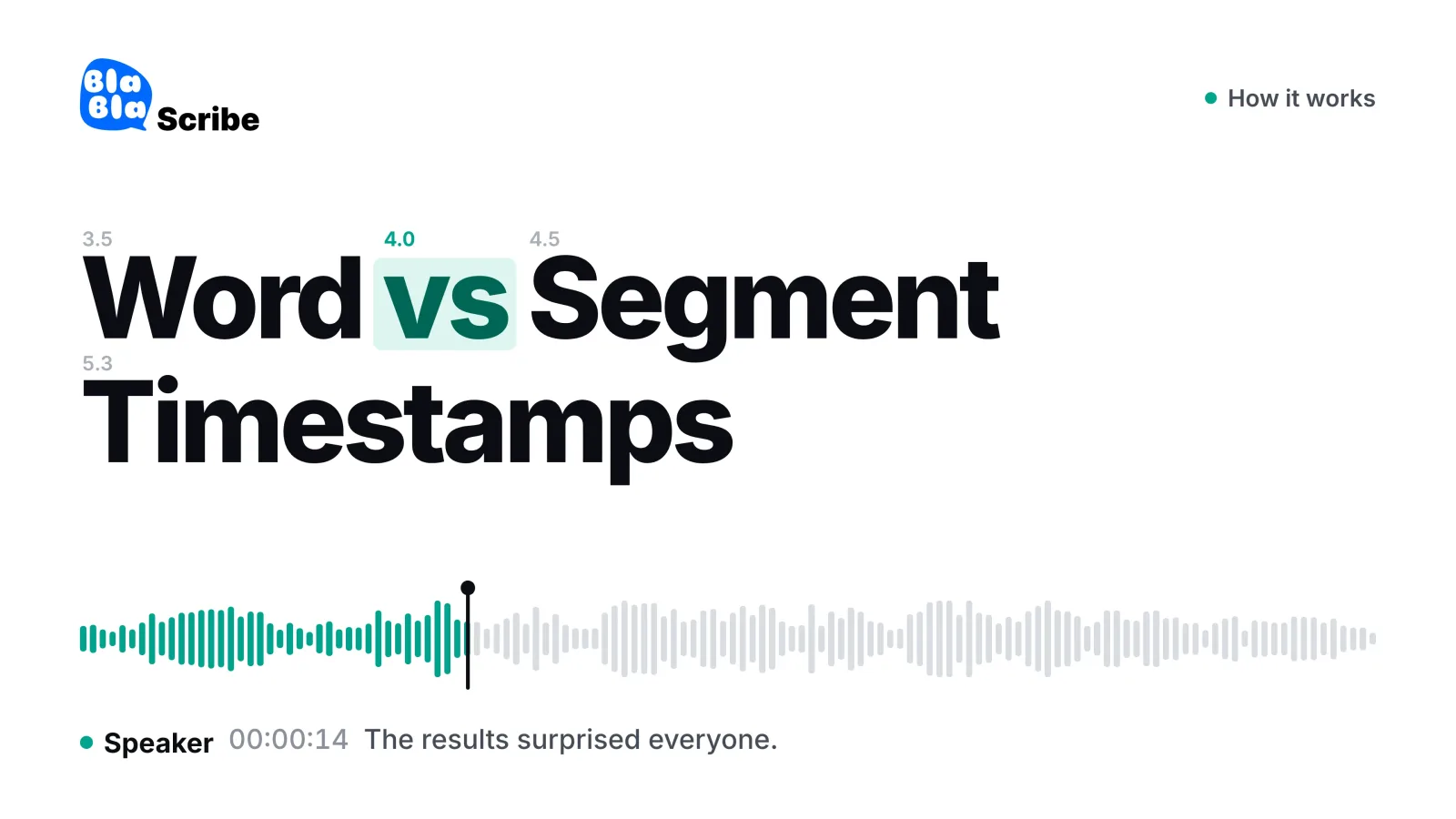
Transcription timestamps tie text to the moment it was spoken, and they come at two resolutions. Segment-level timestamps give each phrase or sentence one start and one end time, which is what subtitles, reviewable transcripts and chapter lists need. Word-level timestamps give every single word its own start and end, which only matters when software acts on individual words: karaoke-style captions, edit-by-text, precise clip cutting or speech analytics.
If you are not building one of those features, segment-level timing is the right default. The rest of this guide shows what each type looks like, how to add timestamps to a transcript by hand or automatically, how tools such as Whisper produce word timings, and which file formats can carry them.
What does time stamping mean in transcription?
Time stamping means inserting time codes into a transcript so a reader can jump from a line of text to the same point in the recording. A timestamp is usually written as hours, minutes and seconds, for example [00:14:32], and subtitle files add milliseconds: 00:14:32.480.
Timestamps serve three jobs. They let you verify a quote against the audio, they let you cite or link to a moment (a chapter, a show-notes entry, a research excerpt), and they let a player or editor sync text with sound. Which job you have decides how dense the timestamps need to be.
What are the types of timestamps in a transcript?
Four conventions cover almost every transcript you will meet. The first two are common in human-typed transcripts; the last two come from software.
| Type | Where a time code appears | Typical use | Example |
|---|---|---|---|
| Interval | At a fixed rhythm, such as every 30 or 60 seconds | Long interviews and lectures where you only need rough navigation | [00:05:00] |
| Speaker change | Each time a new person starts talking | Interviews, focus groups, meeting records | [00:05:12] Anna: |
| Segment (cue) | Start and end of every phrase or sentence | Subtitles, clickable transcripts, chapters | 00:05:12.400 --> 00:05:15.900 |
| Word-level | Start and end of every word | Animated captions, text-based editing, analytics | results 312.61–312.98 |
Research transcripts often combine the first two: a timestamp at every speaker turn plus one at each minute mark for long monologues. That keeps the page readable while still letting a coder find any passage in seconds.
Word-level vs segment-level timestamps: what each looks like
Here is one sentence at segment resolution, in the shape every subtitle editor uses:
00:01:22.400 --> 00:01:25.900
The results surprised everyone on the team.
And the same audio at word resolution, as a typical JSON transcript stores it (shortened):
[
  {"word": "The",       "start": 82.40, "end": 82.58},
  {"word": "results",   "start": 82.61, "end": 82.98},
  {"word": "surprised", "start": 83.05, "end": 83.47},
  {"word": "everyone",  "start": 83.52, "end": 83.86},
  ...
]
The segment version is one line a person can read. The word version is seven records a program can act on. Both describe the same 3.5 seconds; they differ in resolution, not in truthfulness.
When are segment-level timestamps enough?
For most deliverables a person reads or watches, segments are the correct grain.
Subtitles and closed captions. A cue is a segment: a phrase held on screen long enough to read. The Netflix style guide, for instance, sets a minimum of five-sixths of a second and a maximum of seven seconds per subtitle event (Netflix Timed Text Style Guide). Per-word timing adds nothing to a cue that obeys those limits. The real craft is line breaks and reading speed, covered in our guide to subtitle line length.
Reviewing and quoting. Checking a quote in an interview or a decision in meeting minutes means clicking a sentence and hearing it. Sentence resolution gets you there.
Chapters and show notes. YouTube chapters need a description list that starts at
00:00, has at least three timestamps in ascending order, and chapters of at least 10 seconds (YouTube Help). Nobody needs millisecond word timing for that.Searching a recording. A search that lands on the right segment puts you within a few seconds of the term; your ears do the rest.
When do you need word-level timestamps?
Word timing earns its place when a feature literally cannot work without it.
Word-by-word captions. The style common on TikTok, Reels and Shorts, where each word pops or changes colour as it is spoken, has to know when each word starts.
Read-along transcripts. Podcast and lecture players that highlight the current word as audio plays follow word times.
Edit-by-text. Deleting a sentence in a transcript and having the audio cut in the same place depends on word-to-audio alignment.
Tight clip cutting. Automated clips that start exactly on the first word of a quote, without half a second of breath in front, use word start times.
Speech analytics. Speaking rate, pause length and overlap between speakers are calculated from word times.
A quick test: if you cannot name the feature that will read per-word times, you do not need them. Storing them anyway costs nothing in most tools, but showing them to readers makes a transcript harder to use.
Word-level vs segment-level at a glance
| Segment-level | Word-level | |
|---|---|---|
| Resolution | Phrase or sentence | Every word |
| Native formats | SRT, VTT, DOCX/TXT transcripts | JSON word arrays, VTT inline cue timestamps |
| Who reads it | People | Software |
| Subtitles | Standard | Only for animated word styles |
| Quote checking | Ideal | Unnecessary |
| Edit-by-text, clipping | Too coarse | Required |
| Sensitivity to messy audio | Low: boundaries fall in pauses | Higher: blurred or overlapping words get approximate times |
How to put timestamps in a transcription
If you are typing a transcript by hand, a consistent convention matters more than the specific one. A workable procedure:
Pick the format once. Use
[hh:mm:ss]in square brackets for documents. Add milliseconds only for subtitle files, where the format requires them.Pick the trigger. Timestamp every speaker change, every fixed interval (30 or 60 seconds is common), or both. Write the rule at the top of the document so other readers know what a missing timestamp means.
Read the time from the player, not from memory. Pause, note the current position, type it at the start of the line.
Mark gaps and inaudible passages with a time too, for example
[inaudible 00:12:41], so a reviewer can go straight to the problem.Spot-check at the end. Jump to three or four timestamps and confirm the text matches what you hear.
Doing this by hand for an hour of audio is slow, which is why most people now let speech recognition place the timestamps and only correct the text. An automatic AI transcription tool gives you a transcript where each segment carries its own time code. BlaBlaScribe works this way on uploaded files and links (for example through the YouTube transcript generator), with accuracy of up to 99.8% on clear audio, and exports SRT, VTT, DOCX, TXT, JSON and other formats. It is not a meeting bot and does not join live calls, and it has no public API, so if you need word arrays streamed into your own software, a developer speech API is the better fit.
How do Whisper word timestamps work?
Speech models do not hear a word at a single instant. They score audio in short frames and emit text tokens as evidence builds up. Word timestamps come from mapping those tokens back onto the frames, a step called alignment. There are two common ways to do it.
From the model's own attention. OpenAI's open-source Whisper has a
word_timestampsoption that, in the words of its source code, extracts word-level timestamps "using the cross-attention pattern and dynamic time warping" (Whisper, transcribe.py). The command-line help still labels the flag experimental. With it switched on, Whisper can also underline each word as it is spoken in its SRT and VTT output.Forced alignment as a second pass. A separate model takes the finished text and the audio and finds the best match between them, phoneme by phoneme. WhisperX takes this route, combining voice activity detection with forced phoneme alignment; its authors note that Whisper's utterance timestamps are prone to inaccuracies and that word-level timestamps are not available out of the box (Bain et al., WhisperX, 2023).
Commercial APIs expose the same idea as a request option. Google Cloud Speech-to-Text, for example, returns word start and end offsets when enableWordTimeOffsets is set to true, in increments of 100 ms (Google Cloud documentation). That granularity is fine for highlighting words, but too coarse to trust for frame-accurate audio edits without a check.
Why are Whisper timestamps inaccurate sometimes?
The usual causes are the same ones that hurt transcription accuracy in general. Connected speech blurs word boundaries ("gonna", "wanna"), overlapping speakers compete for the same stretch of audio, music and noise smear the onsets, and long silences or hallucinated text can push later segments out of sync. Word times on messy audio tend to be roughly right per word and dependable per phrase. If timing drifts, clean up the audio first, split very long files, and use a tool that runs a dedicated alignment pass. For background on how recognition works under the hood, see how speech-to-text actually works and our comparison of Whisper vs paid transcription tools.
Which file formats can carry word-level timestamps?
SRT is segment-only. Each cue has one start, one end and a block of text; there is no field for per-word times.
WebVTT uses segment cues like SRT, but the W3C WebVTT specification also allows cue timestamps inside the cue text, such as
<00:01:22.610>results. Each one must be later than the previous one and fall within the cue's start and end. That is the standard way to express karaoke-style timing in a subtitle file, though not every player renders it. The trade-offs between the two formats are in SRT vs VTT.JSON transcripts are the natural home of word data: arrays of word, start, end and often a confidence score, consumed by editors, clipping tools and analytics scripts.
DOCX and TXT carry segment or speaker-turn timestamps at most. Anything finer turns a page meant for reading into noise.
The practical reading: if the deliverable is a file a person opens, segment timing is what belongs in it. If the deliverable is data another program consumes, word timing may be worth carrying.
Which one should you choose?
Transcripts, notes, quotes, chapters, standard subtitles: segment-level. Export SRT or VTT for video, DOCX or TXT for reading.
Animated captions for short-form video: word-level, but you rarely handle it yourself. A tool such as Word-by-Word Captions uses word timing internally to make captions that light up as each word is spoken (a full burned-in MP4 without a watermark needs a paid plan).
Read-along player on a website: word-level, rendered by a player like the Podcast Transcript Player, which highlights each word as the episode plays.
Your own editing, clipping or analytics software: word-level JSON from an API or an aligner such as WhisperX, checked on a sample before you rely on it.
Frequently asked questions
What is the difference between word-level and segment-level timestamps?
Segment-level timestamps give one start and end time to a whole phrase or sentence, while word-level timestamps give a start and end time to every word. Segments suit subtitles and readable transcripts; words suit software features like animated captions and edit-by-text.
Are word-level timestamps more accurate?
They are more granular, not more accurate. A good segment timestamp is just as reliable for finding a moment, and word times on noisy or overlapping speech are often approximate.
Do I need word-level timestamps for subtitles?
No. SRT and VTT cues are segments by design. The exception is the word-by-word caption style for short-form video, which tools generate from internal word timing.
How do I get word timestamps from Whisper?
Set word_timestamps=True in Python or pass --word_timestamps True on the command line; Whisper then attaches start and end times to each word in each segment. The feature is marked experimental, and WhisperX adds forced alignment when you need tighter timing.
How often should timestamps appear in a transcript?
For readable transcripts, at every speaker change, or every 30 to 60 seconds for long monologues, is a common convention. Subtitle files timestamp every cue automatically.
Can a VTT file hold word-level timing?
Yes. The WebVTT specification allows cue timestamps inside the cue text, such as <00:01:22.610> before a word, which players can use for karaoke-style highlighting. SRT has no equivalent.
Turn your recordings into text you can use
Upload audio or video, paste a YouTube link, or record in the browser — and get a speaker-labeled transcript in minutes, in 120+ languages.
Try BlaBlaScribe for freeNo credit card required · Stored in the EU · Never used for AI training